| (Skip to step 4 if you do not wish to use the Reason Home app.)
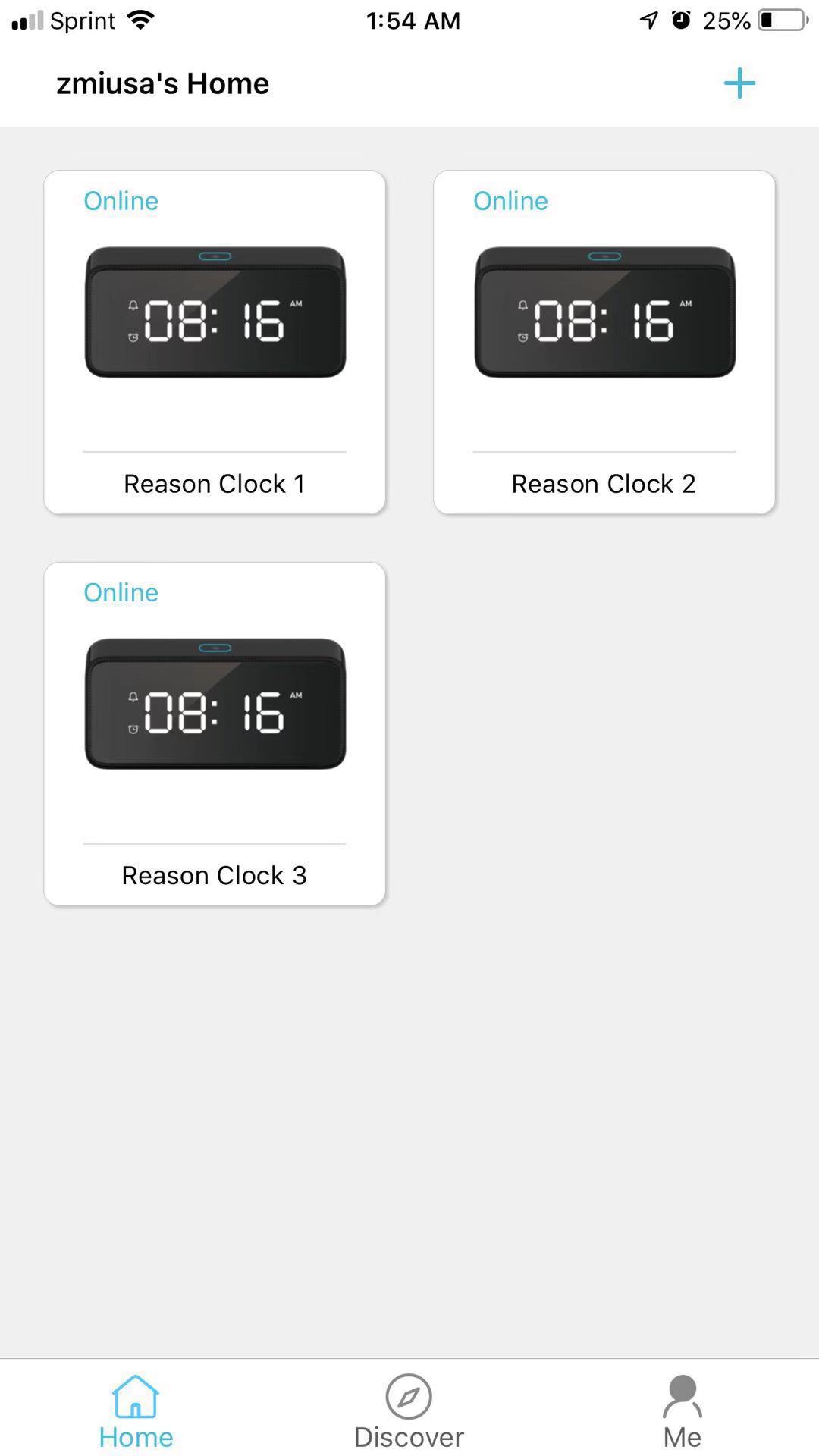
1. Open the Reason Home app on your smartphone or tablet. Tap the card corresponding to the clock you're trying to set an alarm. |
 |
|
| 2. Tap Alarms | 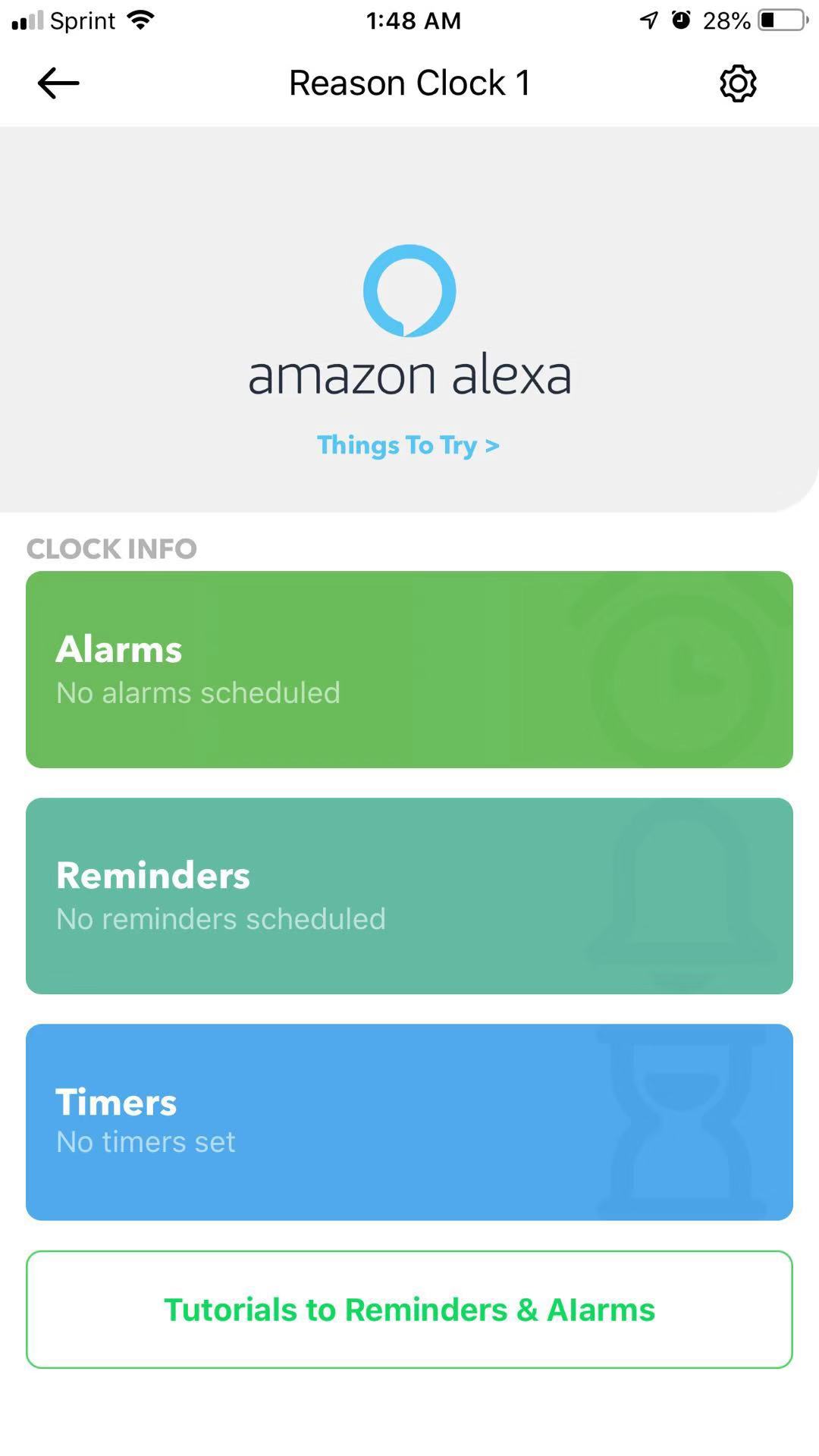 |
|
|
|
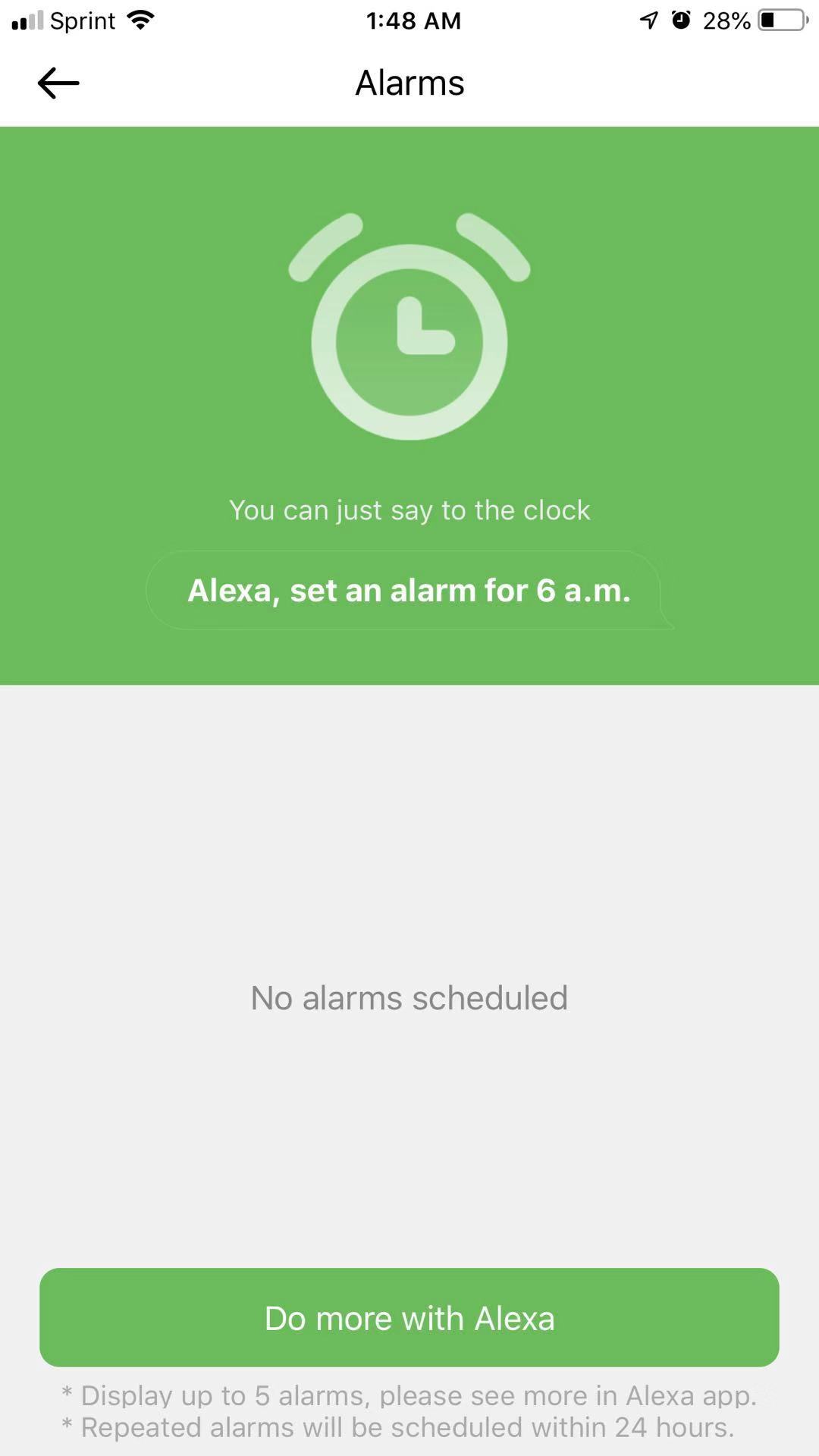
3. Follow the on-screen instructions to set an alarm.
|
 |
|
|
4. To set an alarm with voice commands, say "Set an alarm for [time of day]." To ask for a repeating alarm, say, "Set a repeating alarm for [day of week] at [time]." You can also set a repeating alarm for the same time every day, weekday, or weekend. Say, "Set a repeating alarm for every [day / weekday / weekend] at [time]." You can say, "Snooze," when the alarm sounds for an additional 9 minutes. Or, you can say, "Stop," when the alarm sounds. After you've created a new alarm with your voice, you can edit it in the Alexa app. Go to Things to Try to learn more alarm phrases. |
Reference
“Using Alarms with Alexa” https://www.amazon.com/gp/help/customer/display.html?nodeId=202110510
Comments
0 comments
Please sign in to leave a comment.